Bluesky Video Downloader

Paste the link of a Bluesky post with a video and save it as MP4 in the best quality, or just the audio as MP3. No account, no app.

Free · No sign-up · No app to install · Works on Android, iPhone and PC

Checking the video, one moment…
Step by step

How to download a Bluesky video

  1. 1

    Copy the post link

    Tap the share icon on the post with the video and choose Copy link to post.

  2. 2

    Paste it into the downloader

    Paste the link (bsky.app/profile/…/post/…) in the box above and tap Download.

  3. 3

    Save the video

    Tap Download HD for the MP4 or Download MP3 if you only want the audio.

Features

Bluesky videos worth keeping

  • Best quality

    We download the video in the highest quality Bluesky has available.

  • One MP4 file

    Bluesky streams videos in small pieces; we hand you a single MP4 ready for any device.

  • MP3 audio

    Keep just the sound of an interview, a news clip or a music video.

  • No account

    You do not need to log in to Bluesky to download public posts.

  • News and clips

    Save clips from outlets, creators and journalists to watch offline.

  • Free

    No sign-up, any browser.

Download Bluesky videos as MP4

Bluesky grew fast as an alternative to X, and more and more outlets, journalists and creators post videos there. The app has no download button, but with DescargarVideo you can save any public video by pasting the post link.

Bluesky streams videos in small chunks. We put them back together and give you a single MP4 file that plays on your phone, computer or TV.
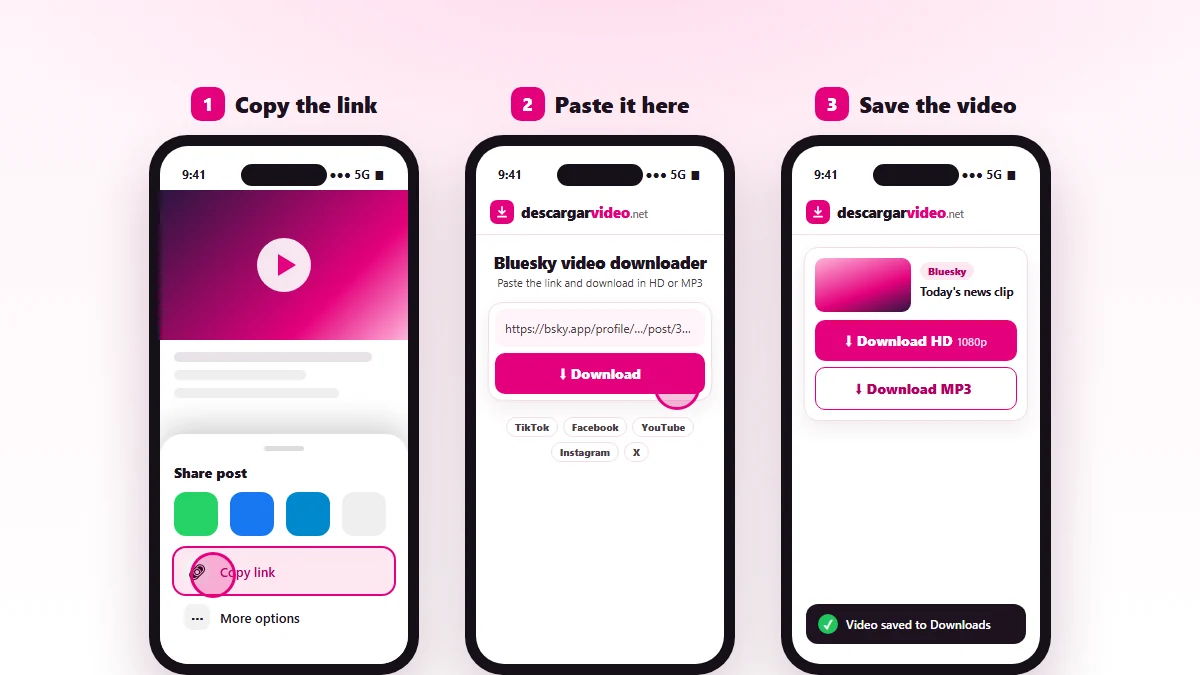
How to download Bluesky videos: copy the post link, paste it into DescargarVideo and download in HD
Copy the Bluesky post link, paste it and download the video.

How to download Bluesky videos on your phone

  1. Open Bluesky and find the post with the video.
  2. Tap the share icon and choose Copy link to post.
  3. Open en.descargarvideo.net/bluesky-video-downloader/ in your browser and paste the link.
  4. Tap Download, then Download HD.

How to download Bluesky videos on a computer

On bsky.app, open the post and copy the address from the browser. It should look like bsky.app/profile/username/post/code. Paste it into the downloader and click Download HD. The video is saved as MP4 in your Downloads folder.

What you can download from Bluesky

Content Can you download it?
Videos from public posts Yes, as MP4
Audio from a video Yes, as MP3
Image-only posts No (there is no video)
Content visible only when logged in No

If a Bluesky video will not download

  • The post has no video, only text, images or a link to another page.
  • The video is inside a quoted post. Open the original post and copy that link.
  • The author deleted the post.

Looking for X (Twitter) videos? Use our Twitter video downloader.

Responsible use

Bluesky videos belong to the people who post them. Download them for your own viewing and credit the author if you share one with permission. If you are a rights holder, see our DMCA policy.

Last updated: November 13, 2026

Common questions

Frequently asked questions

How do I download a Bluesky video?
Copy the link of the post with the video, paste it on this page and tap Download HD. The video is saved to your device as MP4.
How do I copy the link to a Bluesky post?
Tap the share icon (the arrow) under the post and choose Copy link to post. On a computer you can also copy the address from the browser.
Can I download videos from private accounts?
Bluesky is an open network and most posts are public. If a video can only be seen by logged-in users, it cannot be downloaded.
What if the post has no video?
This tool downloads videos. If the post only has text or images, you will see a message that no video was found.
Does it work on my phone?
Yes, on Android and iPhone in the browser.
Can I convert a Bluesky video to MP3?
Yes. Paste the link and tap Download MP3.