Download Snapchat Spotlight videos
Spotlight is the part of Snapchat where short, viral videos are posted, much like TikTok or Reels. Plenty of them, from pranks and challenges to recipes and funny moments, are worth keeping. Snapchat has no download button for them, but with DescargarVideo you can save one just by pasting its link.
No Snapchat login and no app: this Snapchat video downloader works in the browser on your phone or computer.
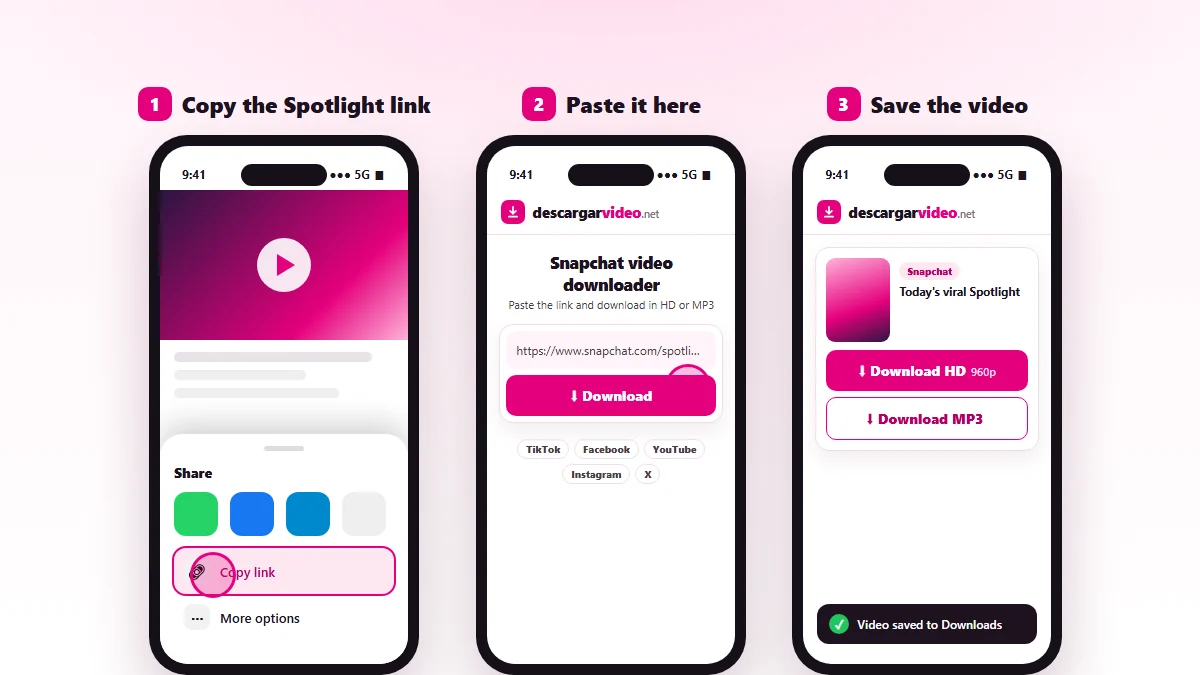
How to download Snapchat videos on your phone
- Open Snapchat and go to the Spotlight video.
- Tap Share and choose Copy link.
- Open en.descargarvideo.net/snapchat-video-downloader/ in your browser and paste the link.
- Tap Download, then Download HD.
On Android the video shows up in your gallery. On iPhone you will find it in Files → Downloads.
How to download Snapchat videos on a computer
On snapchat.com, open the Spotlight video and copy the address from the browser. Paste it into the downloader and click Download HD. The video is saved as a vertical MP4 in your Downloads folder.
What you can download from Snapchat
| Content | Can you download it? |
|---|---|
| Public Spotlight videos | Yes, as MP4 |
| Audio from a Spotlight | Yes, as MP3 |
| Friends’ Stories | No |
| Private Snaps and chats | No |
| Whole profiles | No, one video at a time |
If a Snapchat video will not download
- The link is not a public Spotlight. Copy it from the video’s Share button.
- The creator deleted the video or made it private.
- Snapchat is limiting requests. Wait a minute and try again.
Looking for videos from other networks? The main video downloader also works with TikTok, Instagram, Facebook and YouTube.
Respect creators
Spotlight videos belong to the people who make them. Download them for your own viewing and credit the creator if you share one with permission. If you are a rights holder, see our DMCA policy.
Last updated: November 13, 2026