Download TikTok Without Watermark

Save TikTok videos without the logo and the username the app adds when you save. Paste the link and get the clean video in HD.

Free · No sign-up · No app to install · Works on Android, iPhone and PC

Checking the video, one moment…
Step by step

How to download TikTok without watermark

  1. 1

    Copy the link, do not save in the app

    In TikTok tap Share → Copy link. Skip Save video: that option is what adds the watermark.

  2. 2

    Paste the link here

    Paste it into the box above and tap Download. We look up the original version of the video.

  3. 3

    Download the clean video

    Tap Download HD and the TikTok is saved with no logo and no username bouncing around the screen.

Features

Clean TikTok videos, no logo

  • No TikTok logo

    We fetch the original video, the one TikTok serves before the save watermark is added.

  • No bouncing username

    The video does not carry the @username that jumps from corner to corner in app downloads.

  • No cropping or blurring

    No tricks like cropping the frame or smudging the logo with a filter: you get the full picture.

  • HD quality

    The watermark-free video keeps the best quality TikTok has available.

  • Perfect for your own videos

    Get your TikToks back clean so you can post them to Reels, Shorts or Facebook without another network's logo.

  • Free, no app

    No watermark remover apps to install and no subscriptions to pay.

What the TikTok watermark is

When you save a video with the app’s Save video button, TikTok places its logo and the creator’s name on top. The mark moves from one corner to another during playback so it cannot be cropped out easily. It tells people where the video came from, and it is also why so many creators look for a TikTok downloader with no watermark.

DescargarVideo does not download the video through the app. It starts from the link, so we get the original version TikTok has stored, without the logo or the username on top.
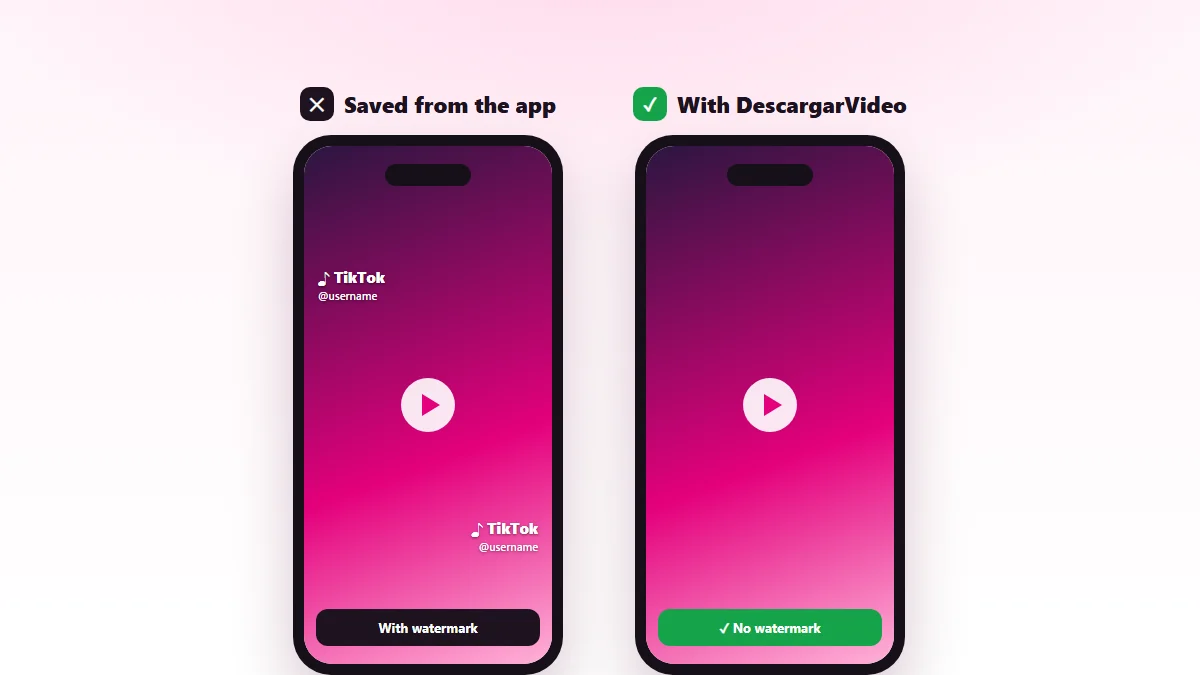
TikTok without watermark: a video saved from the app with the logo next to the same clean video downloaded with DescargarVideo
Left: the video saved in the app. Right: the clean version downloaded from the link.

How to download TikTok videos without watermark on your phone

  1. Open TikTok and find the video.
  2. Tap Share, then Copy link. Avoid the Save video option.
  3. Open this page in Chrome or Safari and paste the link.
  4. Tap Download, then Download HD.

On Android the clean video shows up in your gallery. On iPhone you will find it in Files → Downloads, and Share → Save Video moves it to Photos.

Watermark vs. no watermark

Saved in the app Downloaded from the link
TikTok logo Yes, bouncing No
Username Yes No
Full frame Yes Yes
Quality Compressed Best available
Always available Only if the creator allows it Any public video

What a TikTok without watermark is good for

  • Posting your own videos to Instagram Reels, YouTube Shorts or Facebook without the TikTok logo, which some networks show less often.
  • Keeping a clean backup of everything you have published.
  • Using your clips in a longer edit or in a video for your business.
  • Showing a video in class or at work without distractions on screen.

Skip the “watermark removers” that crop or blur

Plenty of apps promise to remove watermarks, but what they actually do is crop the video or cover the logo with a blurry smudge. It looks bad and you lose part of the frame. Downloading the watermark-free original from its link is the clean way: there is nothing to erase because the mark is never added.

Need more options? Our main TikTok video downloader also gives you a light version and MP3 audio.

Give creators credit

The watermark exists to protect whoever made the video. If you download a TikTok without watermark that is not yours, keep it for your own viewing and, if you share it with permission, always credit the creator. If you are a creator and want downloads of your videos blocked, see our DMCA policy.

Last updated: November 13, 2026

Common questions

Frequently asked questions

How do I download a TikTok without the watermark?
Copy the TikTok link with the Share button, paste it on this page and tap Download HD. The video is saved without the TikTok logo whenever the clean version is available.
Why does the video saved in the app have a watermark?
When you use Save video inside TikTok, the app adds its logo and the creator's name so people know where the clip came from. Downloading from the link gets the original version without that layer.
Can I remove the watermark from a video I already downloaded?
The watermark is baked into the picture. The easiest fix is to download the TikTok again from its link on this page to get the clean version.
Does it work on iPhone?
Yes. Open the page in Safari, paste the link and download. Then in Files → Downloads use Share → Save Video to move it to Photos.
Is every video downloaded without a watermark?
The vast majority, yes. In rare cases TikTok only serves the watermarked version; when that happens we give you the best version available.
Can I get the audio without the watermark too?
Yes. Tap Download MP3 to save just the sound of the TikTok.
Is it legal to remove the TikTok watermark?
For your own videos, yes. If the video belongs to someone else, the watermark is there to credit them: do not post it without permission and always mention the creator.